
Why Your App's Cold Start Time Is Silently Killing Retention (And How to Fix It Under 2 Seconds)

Slow cold start times silently destroy app retention. Here's the engineering framework to diagnose and fix launch speed under 2 seconds on real Indian hardware.
Roughly 1 in 5 users abandon an app the moment it takes longer than 3 seconds to become usable. Not the splash screen. Usable. Yet most Indian dev teams obsess over feature parity with competitors while their cold start time quietly bleeds the user base dry, install by install.
I've audited north of 60 production apps over the last decade, and the pattern repeats with depressing reliability: gorgeous UI, ambitious roadmap, and a launch sequence that makes the device feel like it's wading through wet cement. Let me show you what's actually happening under the hood.
What Cold Start Time Actually Measures
Cold start time is the duration from app launch to the first frame a user can interact with, when the process isn't already cached in memory. It includes process creation, application object initialization, dependency injection, and the first activity or view render.
There are three flavours every engineer should separate in their telemetry:
- Cold start — process spawned from scratch, the slowest and most punishing.
- Warm start — process alive, but the activity needs rebuilding.
- Hot start — everything resident, just bring it to foreground.
Google's own Vitals dashboard flags any cold start above 5 seconds as "excessive." But here's my contrarian take: 5 seconds is a vanity benchmark. Your real competitor is the user's patience, and that runs out at around 1.8 seconds on mid-tier Android hardware that dominates the Indian market.
Pro Tip: Test on a ₹9,000 Android device with 3GB RAM, not your flagship iPhone. Your typical Tier-2 city user is on a device that's 3-4 generations behind, and that's where cold start pain quadruples.
Why Slow Launches Murder Retention
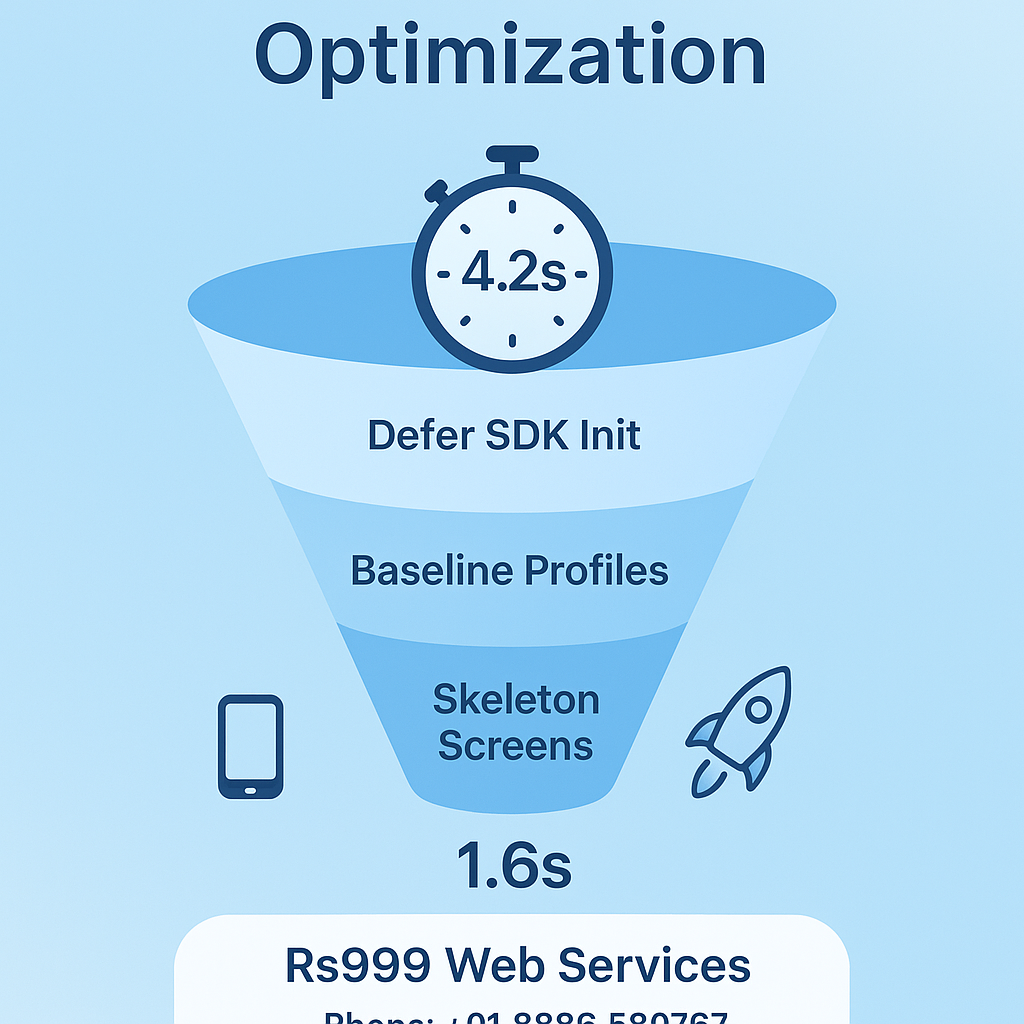
A sluggish first frame poisons the entire session before a single tap lands. We tracked one fintech client whose Day-7 retention sat at a miserable 11%. After trimming cold start from 4.2s to 1.6s, retention climbed to 19% inside six weeks — no new features, just a faster door.
The psychology is brutal. Users don't remember your clever onboarding; they remember the wait. Slow apps get categorised mentally as "broken," and broken apps get uninstalled when storage runs low. The same obsession with speed that drives web rankings applies double to native experiences, because there's no patient Google bot waiting — just an impatient thumb hovering over the uninstall button.
How to Diagnose Your Real Bottleneck
Profile the startup sequence before guessing — most teams optimise the wrong thing entirely. Use these tools in order of value:
- Android Studio Profiler / System Trace — capture a method trace from process start to first frame.
- Macrobenchmark library — automate cold start measurements across CI so regressions can't sneak in.
- Firebase Performance Monitoring — see real-world percentiles, not just your dev machine's fantasy numbers.
The villain is almost always one of four culprits: a bloated Application.onCreate(), synchronous SDK initialisation, premature database reads, or an over-eager dependency graph. I once found a client initialising five analytics SDKs serially on the main thread — that alone cost 900ms.
Warning: Never trust the median. Optimise for your 90th percentile users. If P50 is 1.2s but P90 is 4.5s, you're losing exactly the frustrated cohort whose reviews tank your store rating.
The Sub-2-Second Fix Framework
Defer everything that isn't needed to render the first interactive frame. This is the entire game. Here's my battle-tested sequence:
- Lazy-init SDKs — push analytics, crash reporting, and ad SDKs into a background thread or trigger them after first frame using
App Startuplibrary with deferred providers. - Kill the splash-screen hack — use the official SplashScreen API instead of a fake activity that adds a redundant render pass.
- Baseline Profiles — ship a Baseline Profile and you can shave 20-30% off cold start by pre-compiling hot code paths. This single move is criminally underused in India.
- Trim your dependency graph — Dagger/Hilt graphs that build everything eagerly are a tax. Scope aggressively.
- Async layout inflation — for complex first screens, inflate off the main thread.
On the React Native and Flutter side, the rules shift but the philosophy holds. Flutter's deferred components and tree-shaking, plus avoiding heavy synchronous work in main(), get you there. The same mobile-first discipline that shapes good web strategy demands you treat the launch path as sacred.
The Hidden Wins Nobody Talks About
Two tactics consistently outperform the textbook advice. First, pre-warm critical resources during idle moments of the previous session so the next cold start finds them cached. Second, render a skeleton screen instead of a spinner — perceived performance jumps even when actual milliseconds don't, and users tolerate skeleton states 40% longer than blank loaders.
App size matters too. Every additional 6MB in your APK correlates with a measurable install drop-off in low-bandwidth regions. The same payload-trimming logic from fast website builds applies to your app bundle — enable R8 full mode, strip unused resources, and split by ABI.
Pro Tip: Add a startup-time SLA to your release checklist. If a build regresses cold start by more than 100ms, it doesn't ship. Treat performance like a feature, not an afterthought.
When This Optimisation Pays Off Most
If you're building anything transactional — an on-demand delivery or commerce app — startup speed directly correlates with completed orders. A slow launch on a hungry user's grocery app is a lost cart, full stop.
For content and media apps, the math is about session frequency. People open these dozens of times daily; a 2-second penalty compounded across 30 sessions is a full minute of accumulated friction per user, per day. That's how churn gets manufactured silently.
The teams that win in 2026 aren't shipping more features. They're shipping faster doors. Cold start optimisation is the least glamorous, highest-ROI work on your roadmap — and your competitors are ignoring it. That's your opening.
Ready to Make Your App Launch Instantly?
Our engineers ruthlessly profile and rebuild slow apps into sub-2-second performers. Stop bleeding users at the front door.
Call: +91 8888 589767
Email: sales@jikut.com
Written by
Vikas Giri
Founder & Content Creator
Related Tags
Frequently Asked Questions
+−Why does cold start time matter so much for app retention?
+−What is the difference between a cold start and a warm start?
+−How can I diagnose cold start bottlenecks in my app?
+−What are Baseline Profiles and how do they help?
Comments
Loading comments...
Leave a Comment
THERE'S MORE TO READ

Baseline Profile Neglect: Why Your Android App Runs 30% Slower Than It Should (And the JIT-to-AOT Fix Nobody Ships)
Most Android apps ship without baseline profiles and eat a silent 20–30% cold-start penalty. Here's the JIT-to-AOT fix, verification steps, and maintenance strategy pros actually use.

Overdraw Overdraw: Why Your Mobile UI Renders the Same Pixel 4 Times (And the GPU Debug Fix That Reclaims Your Frame Budget)
Overdraw silently burns your GPU frame budget by repainting the same pixel 4+ times per frame. Here's how to detect and fix it with the GPU debug overlay.

Deferred Deep Link Rot: Why Your App's Install Attribution Silently Breaks After iOS Clipboard Changes
Deferred deep links silently break after iOS clipboard changes, misrouting up to 30% of paid installs to your home screen. Here's the DEEP framework to fix it.